How to Add Opening Balance in Cash Book from Company Details?
An opening balance is the amount of cash available in your business at the initially of an accounting period. Adding the correct opening balance helps you keep your Cash Book accurate and makes it easier to track cash transactions.
With Sleek Bill Desktop Billing Software, you can quickly add the Cash Book opening balance from the Company Details settings.
Why Is Opening Balance Important?
Adding an opening balance helps you:
• Start your Cash Book with the correct cash amount.
• Track cash receipts and payments accurately.
• Maintain better accounting records.
• Know your available cash balance easily.
Steps to Add Opening Balance in Cash Book
Follow these simple steps:
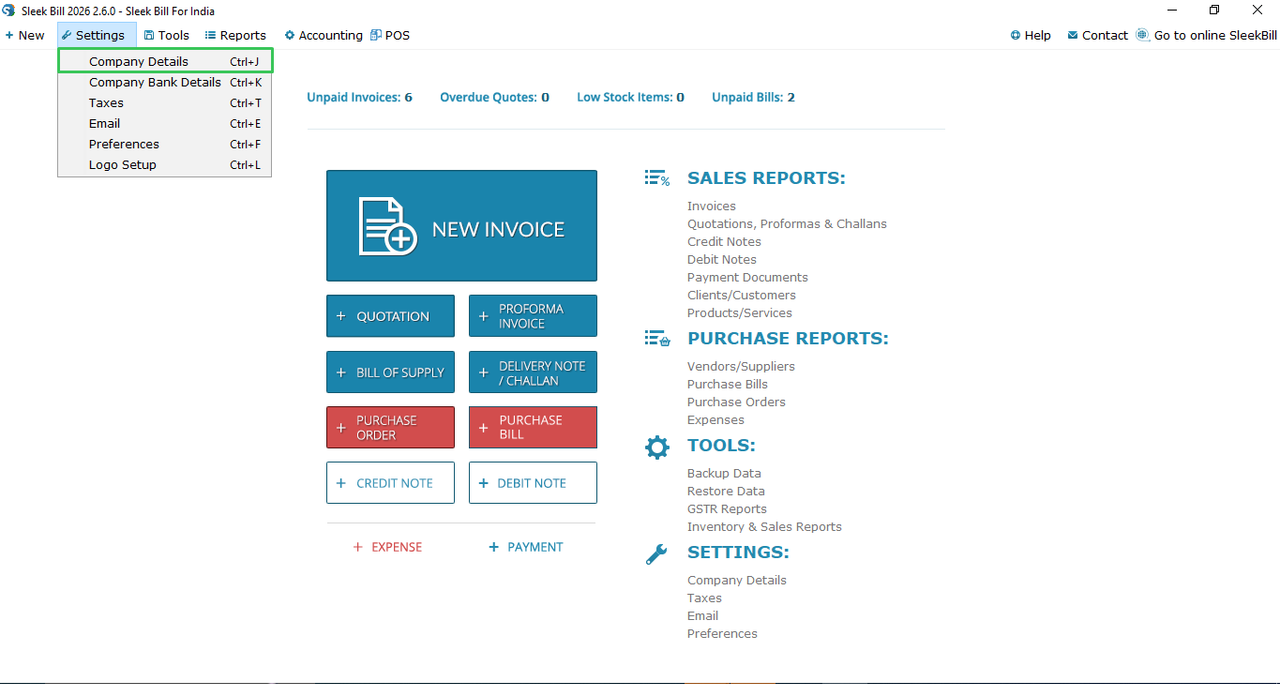
1. Open Sleek Bill Desktop Software
Launch Sleek Bill Desktop Software on your computer.
2. Open Taxation & Extra Details
Go to the Settings tab from the top menu and click on Taxation & Extra Details.
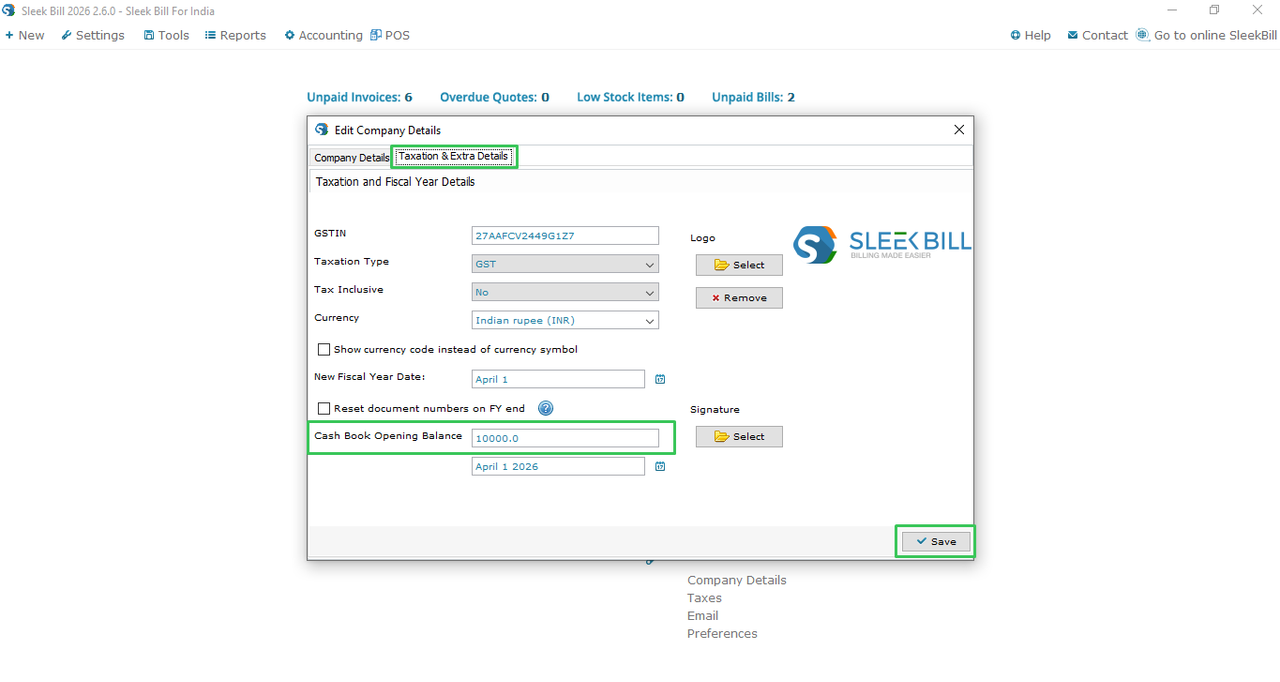
3. Enter the Opening Balance
Find the Cash Book Opening Balance field and enter the opening cash amount.
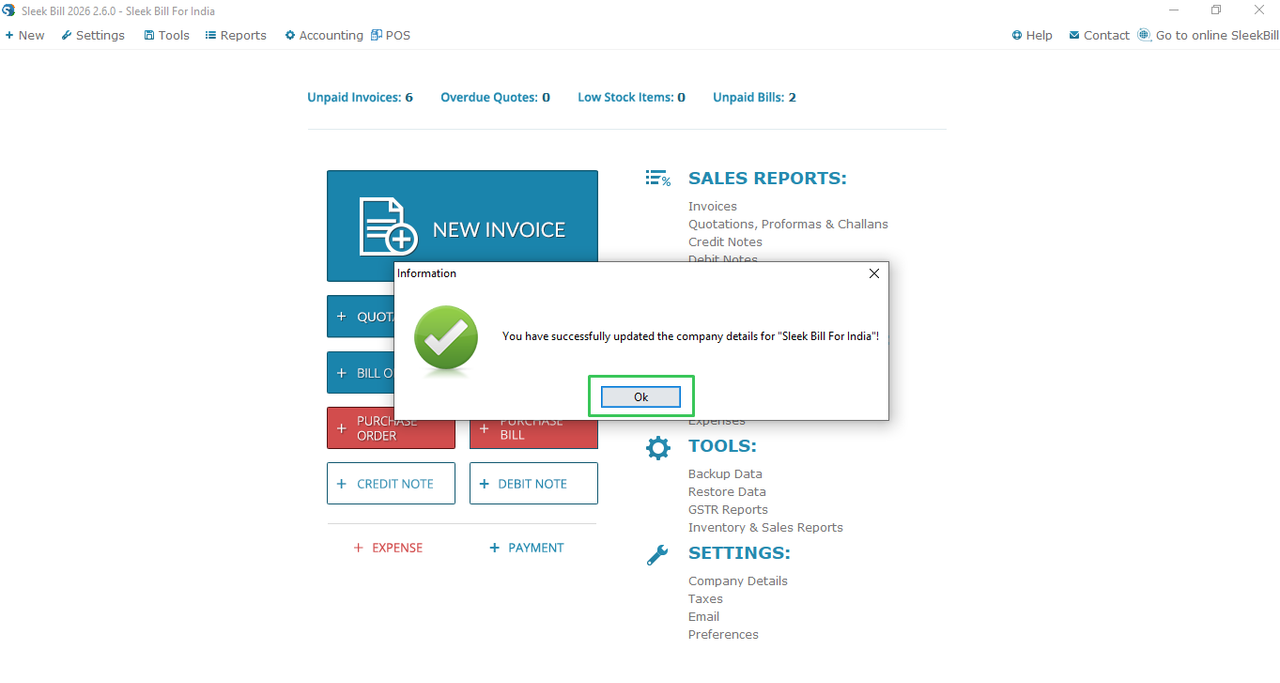
4. Save the Details
Click Save. A small confirmation window will appear. Click OK to confirm.
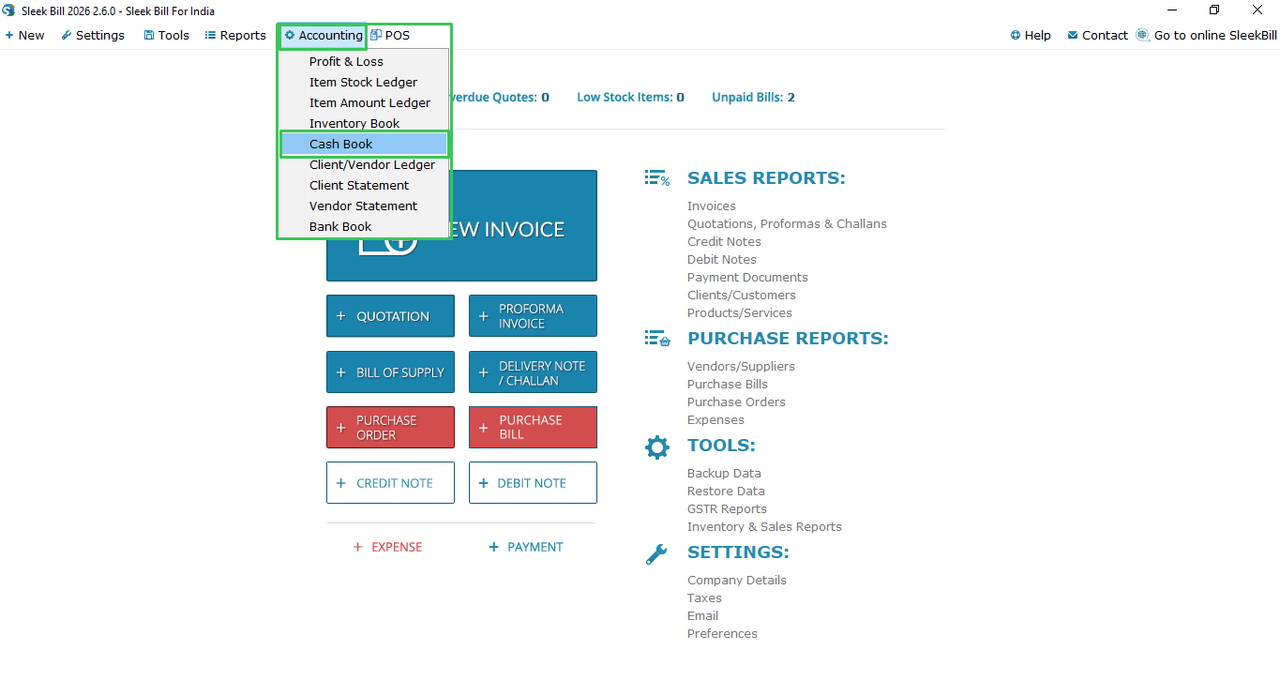
5. Open Accounting
Now, go to the Accounting menu.
6. Select Cash Book
Click on Cash Book to open it.
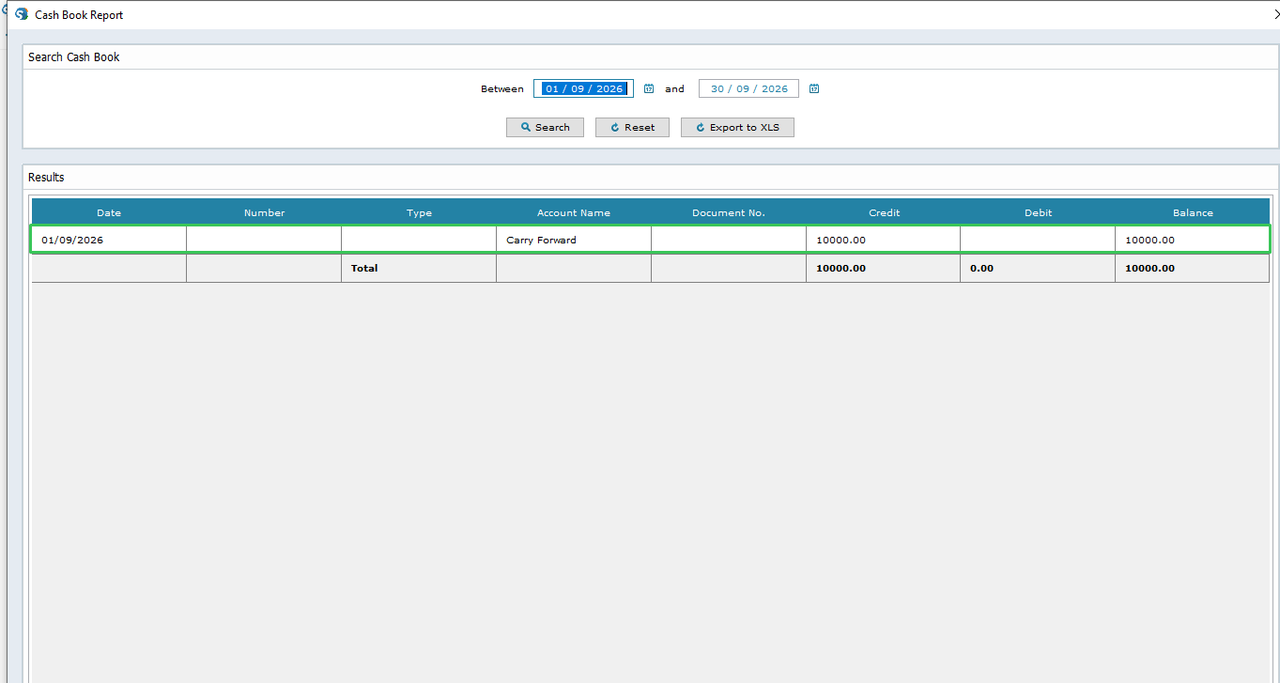
7. Check the
Opening Balance
Your opening
balance will now be displayed in the Cash Book. You can use it as the starting
point for tracking your cash transactions.
Conclusion:
Adding an
opening balance is a simple but important step for maintaining accurate cash
records. With Sleek Bill, you can enter the amount once from Company Details
and easily view it in your Cash Book. This helps you keep your business
accounts organized and your cash position clear.
Was this article helpful?