How to Check Client Outstanding Payment in Sleek Bill Online
Keeping track of pending customer payments is essential for maintaining healthy cash flow. Knowing which clients have unpaid invoices helps you follow up on time, reduce overdue payments, and manage your business finances more effectively.
With Sleek Bill Online, you can easily check your Client Outstanding Payment Report to view all unpaid invoices, outstanding balances, and customer-wise dues in one place.
In this guide, you'll learn how to check client outstanding payments in Sleek Bill Online.
What is the Client Outstanding Payment Report?
The Client Outstanding Payment Report is a financial report that shows all unpaid or partially paid invoices for your customers. It provides a clear overview of the amount each client owes, helping you manage receivables efficiently.
The report typically includes:
- Client Name
- Invoice Number
- Invoice Date
- Due Date
- Invoice Amount
- Amount Received
- Outstanding Balance
- Payment Status
This report helps businesses monitor pending collections and improve cash flow management.
Steps to Check Client Outstanding Payment in Sleek Bill Online
Follow these simple steps:
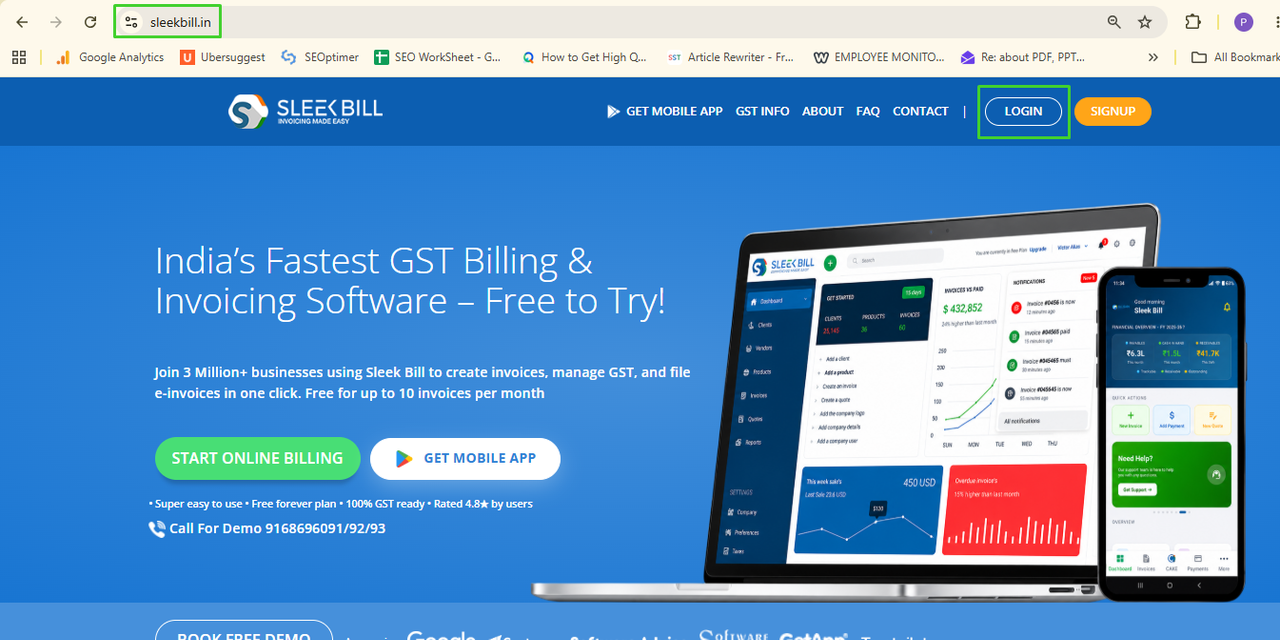
Step 1: Login to Sleek Bill Online
Open your browser and log in to your Sleek Bill Online account.
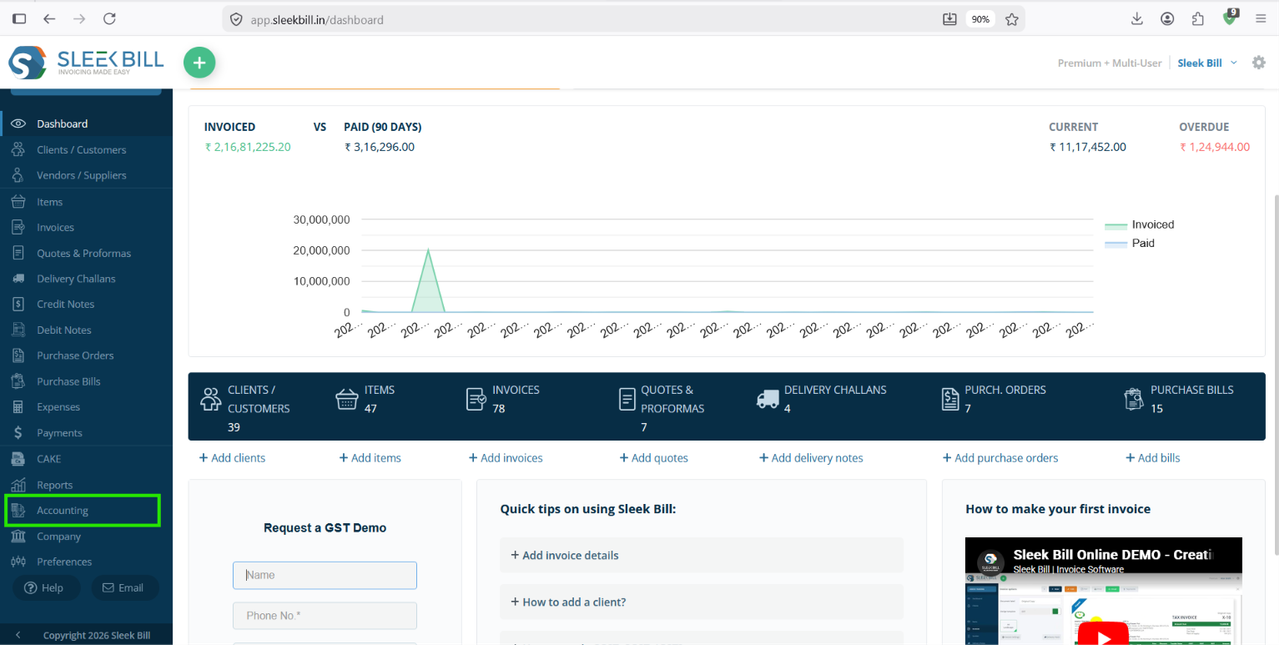
Step 2: Open Reports
From the left-side menu, click: Accounting
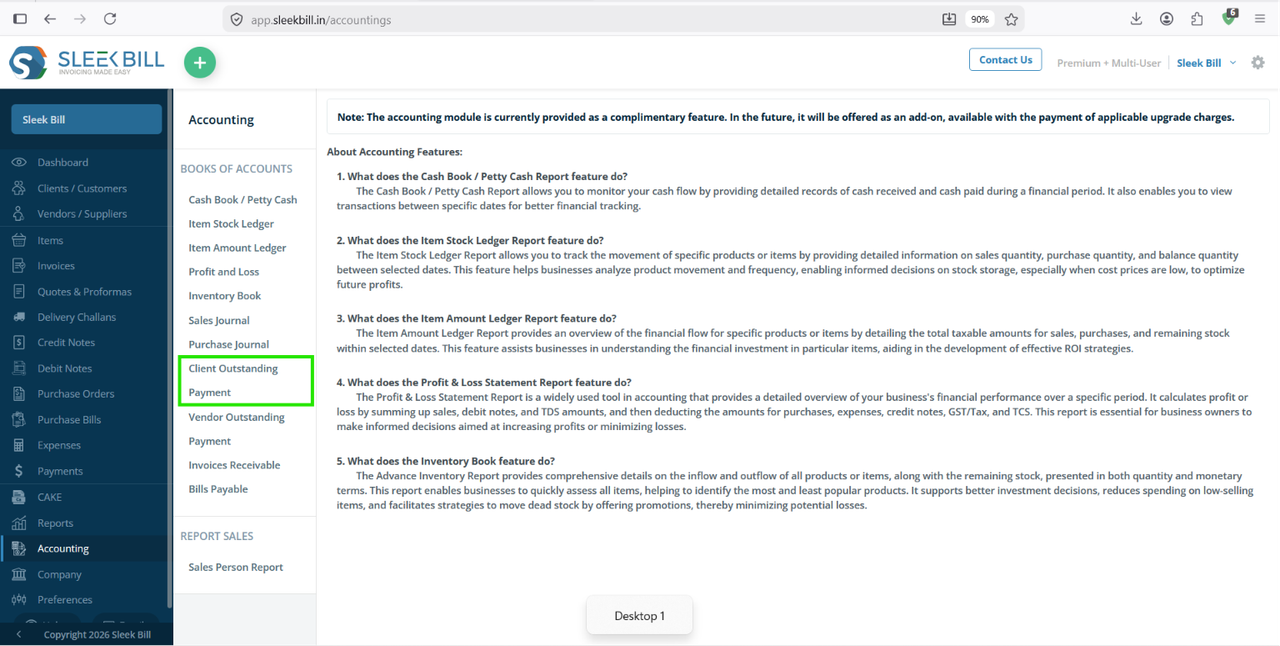
Step 3: Select Client Outstanding Payment Report
Under the Accounting section, click: Client Outstanding Payment The report page will open.
Step 4: Review Outstanding Payments
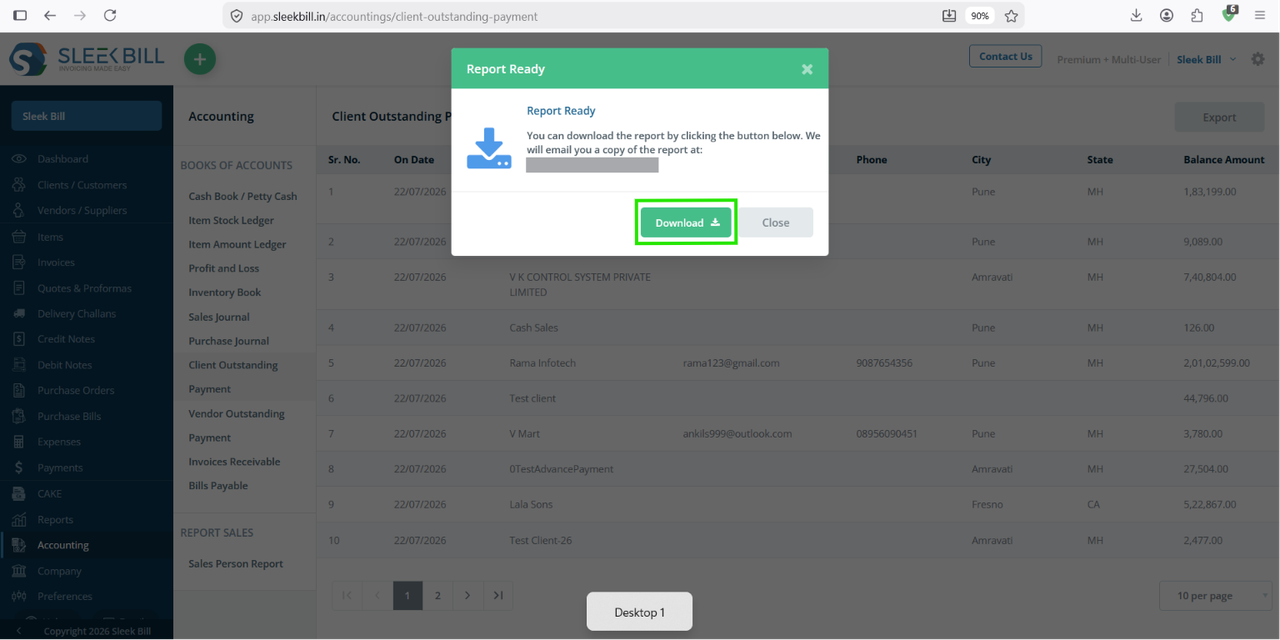
The report displays customer-wise outstanding details, including:
- On Date : This shows the date on which the outstanding balance is calculated. It helps you understand the client's pending balance as of that specific date.
- Client Name : Displays the name of the customer with an outstanding balance. This makes it easy to identify which client has pending payments.
- Email : Shows the client's registered email address. You can use it to send payment reminders, invoices, or account statements directly.
- Phone: Displays the client's contact number for quick communication. It allows you to follow up on pending payments through calls or messages.
- City: Indicates the city where the client is located. This helps you organize and filter outstanding payments based on geographical location.
- State: Displays the client's state or region. It is useful for managing customer records and analyzing outstanding payments across different states.
- Balance: Shows the total amount that is still unpaid by the client. This helps you prioritize payment collections and monitor your business's accounts receivable effectively.
You can quickly identify overdue invoices and pending payments from each client.
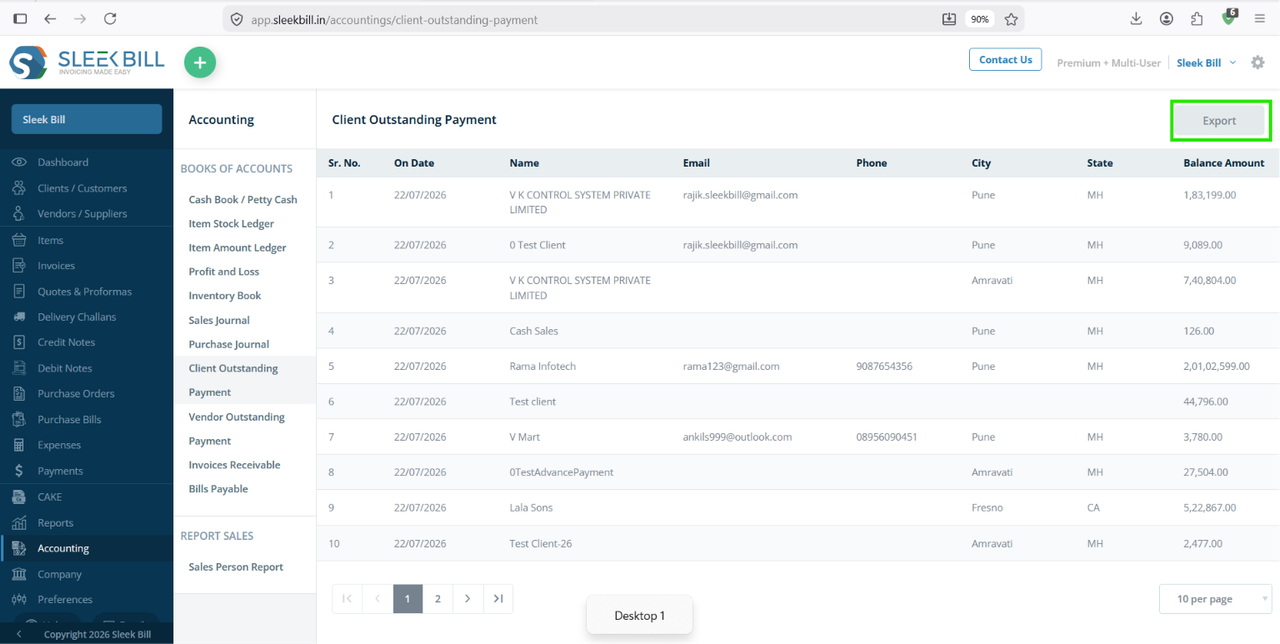
Step 6: Export or Print the Report
If required, you can click on export button to export the report in excel sheet.
Step 6: Download the Report
You can click on download button to export the report in excel sheet.
Benefits of Checking Client Outstanding Payments
Using the Client Outstanding Payment Report helps you:
- Track unpaid invoices easily
- Improve cash flow management
- Follow up with clients on time
- Reduce overdue receivables
- Monitor customer payment history
- Prepare accurate financial reports
- Simplify account reconciliation
Conclusion
The Client Outstanding Payment Report in Sleek Bill Online makes it easy to monitor pending customer payments and outstanding invoices. By reviewing this report regularly, you can improve collections, maintain accurate financial records, and ensure a healthier cash flow for your business.
Whether you're a retailer, wholesaler, service provider, or freelancer, this report helps you stay on top of your receivables and make informed financial decisions.
Frequently Asked Questions (FAQs)
1. What is the Client Outstanding Payment Report in Sleek Bill?
The Client Outstanding Payment Report shows all unpaid and partially paid invoices along with the outstanding balance for each customer.
2. Can I filter outstanding payments by date?
Yes. You can generate the report for predefined periods or choose a custom date range.
3. Does the report show partially paid invoices?
Yes. It displays the invoice amount, amount received, and the remaining outstanding balance.
4. Can I export the Client Outstanding Payment Report?
Yes. You can export or print the report for accounting, payment follow-ups, or business records.
5. Why should I check outstanding payments regularly?
Regular monitoring helps improve cash flow, reduce overdue payments, maintain accurate accounts, and ensure timely collections from your clients.
Was this article helpful?