How to Check Invoice Receivable in Sleek Bill
Keeping track of unpaid invoices is essential for maintaining healthy cash flow. When customers delay payments, it becomes difficult to manage daily business expenses and plan future operations.
With Sleek Bill, you can quickly check your Invoice Receivable Report to view all pending customer payments in one place. This report helps you identify outstanding invoices, follow up with customers on time, and improve your payment collection process.
Why Check Invoice Receivable?
The Invoice Receivable Report helps you:
- Monitor unpaid customer invoices.
- Identify overdue payments quickly.
- Improve cash flow by following up on pending dues.
- Track customer-wise outstanding balances.
- Reduce the risk of missed payments.
How to Check Invoice Receivable in Sleek Bill
Follow these simple steps:
Step 1: Open to Sleek Bill Online
Open your browser and enter www.sleekbill.in
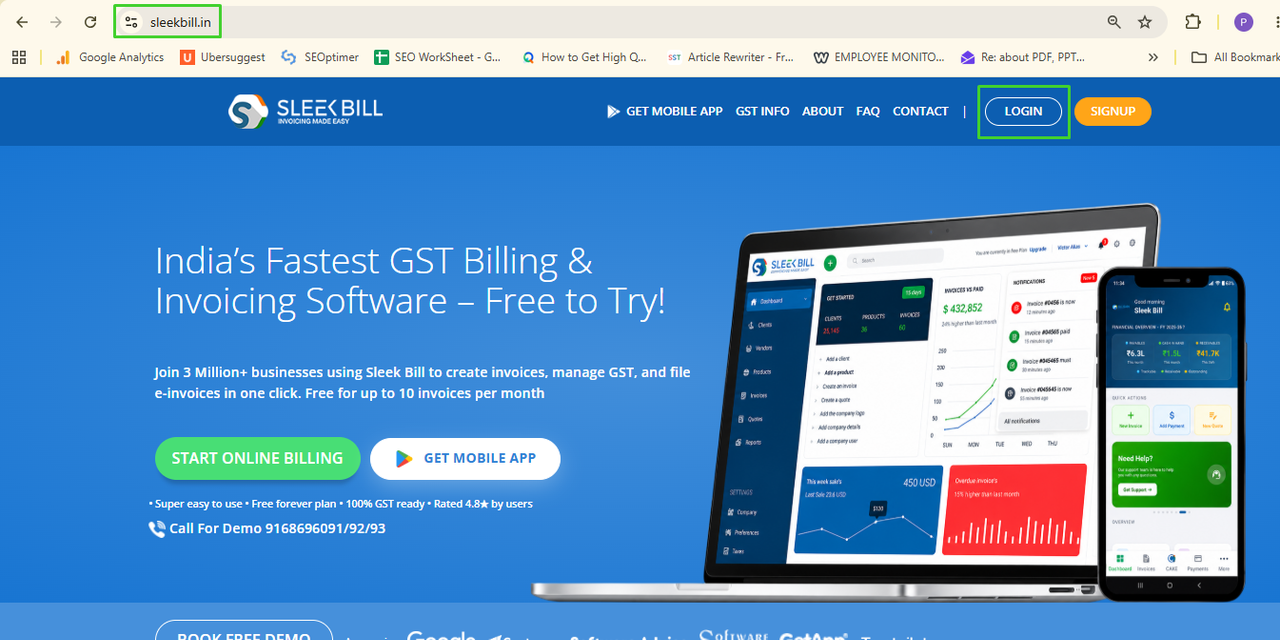
Step 2: Login to Account
.png)
Step 3: Go Accounting section
After logging in, go to the left-side menu and click: Accounting
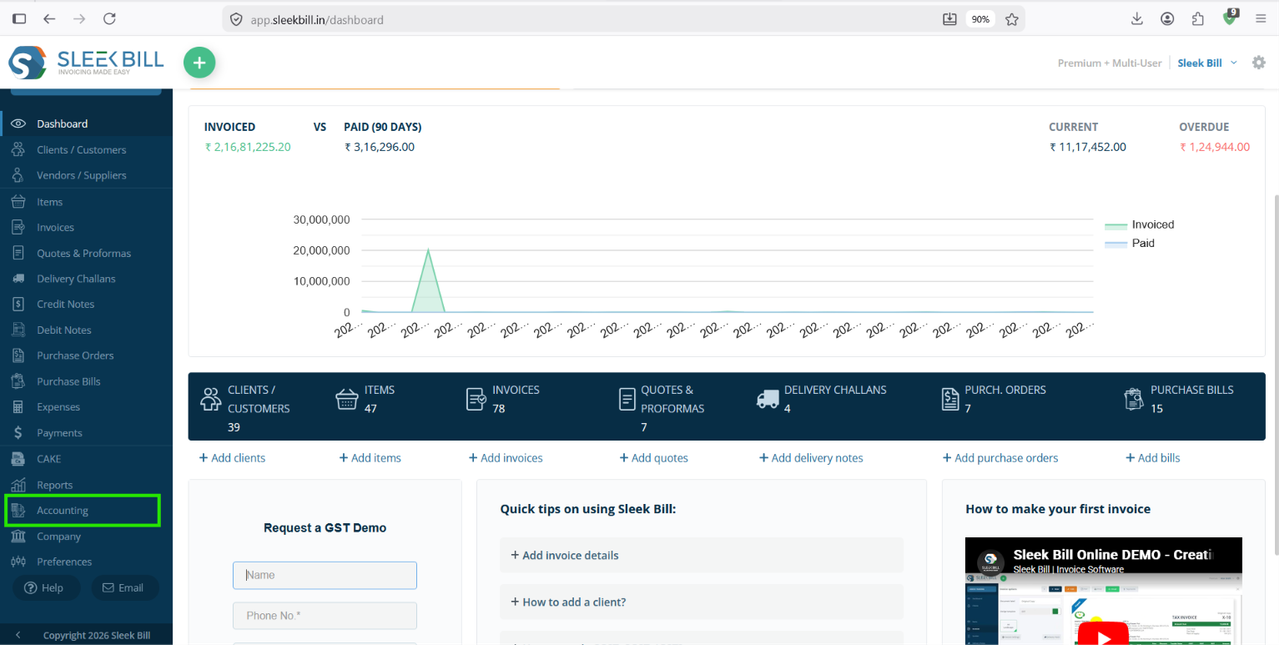
Accounting → Invoice Receivable

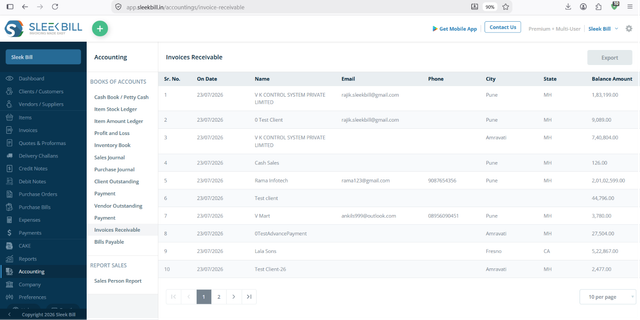
Step 4: View Invoice Receivable Report
The Invoice Receivable Report displays all unpaid invoices along with important details such as:
- On Date
Shows the date on which the outstanding balance is calculated. This helps you know the vendor's payable amount as of a specific date.
Displays the name of the supplier or vendor with an outstanding balance. It allows you to quickly identify pending payments for each vendor.
Shows the vendor's registered email address. You can use it to communicate payment updates or send account statements.
Displays the vendor's contact number for easy communication regarding pending payments or purchase-related queries.
Indicates the city where the vendor is located. This helps organize vendor information and filter records geographically.
Displays the vendor's state or region. It is useful for maintaining vendor records and analyzing outstanding payments across different locations.
Shows the total unpaid amount that your business owes to the vendor. This helps you prioritize payments and manage accounts payable effectively.
You can easily identify which customers still have pending payments and the exact amount they owe.
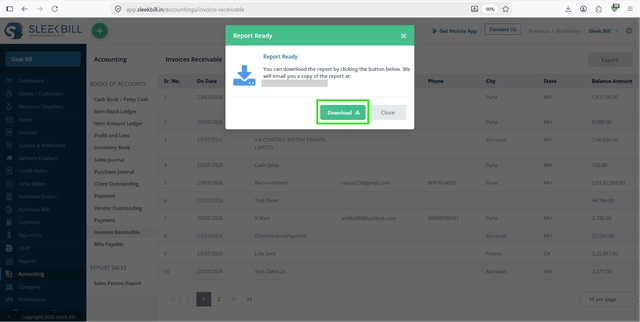
Step 5: Export the Report
If needed, you can export the Invoice Receivable Report for accounting, audits, or sharing with your finance team. Then click on download button to save excel file.

Benefits of Using Invoice Receivable Report
Checking your receivables regularly helps you:
- Stay informed about pending customer payments.
- Follow up before invoices become overdue.
- Improve business cash flow.
- Make better financial decisions.
- Save time by viewing all outstanding invoices in one report.
Conclusion
The Invoice Receivable Report in Sleek Bill gives you complete visibility into your outstanding customer invoices. Instead of manually checking each invoice, you can view all pending payments in a single report, helping you collect dues faster and keep your business finances organized.
Start reviewing your Invoice Receivable Report regularly to maintain healthy cash flow and ensure timely payment collection.
Was this article helpful?