📊 Reports & Data
How to Edit Account Details in Sleek Bill Online
Keeping your account information up to date is important for receiving reports, managing subscriptions, and maintaining accurate business records. Sleek Bill Online allows you to easily edit your account details from the Settings section.
Steps to Edit Account Details in Sleek Bill Online
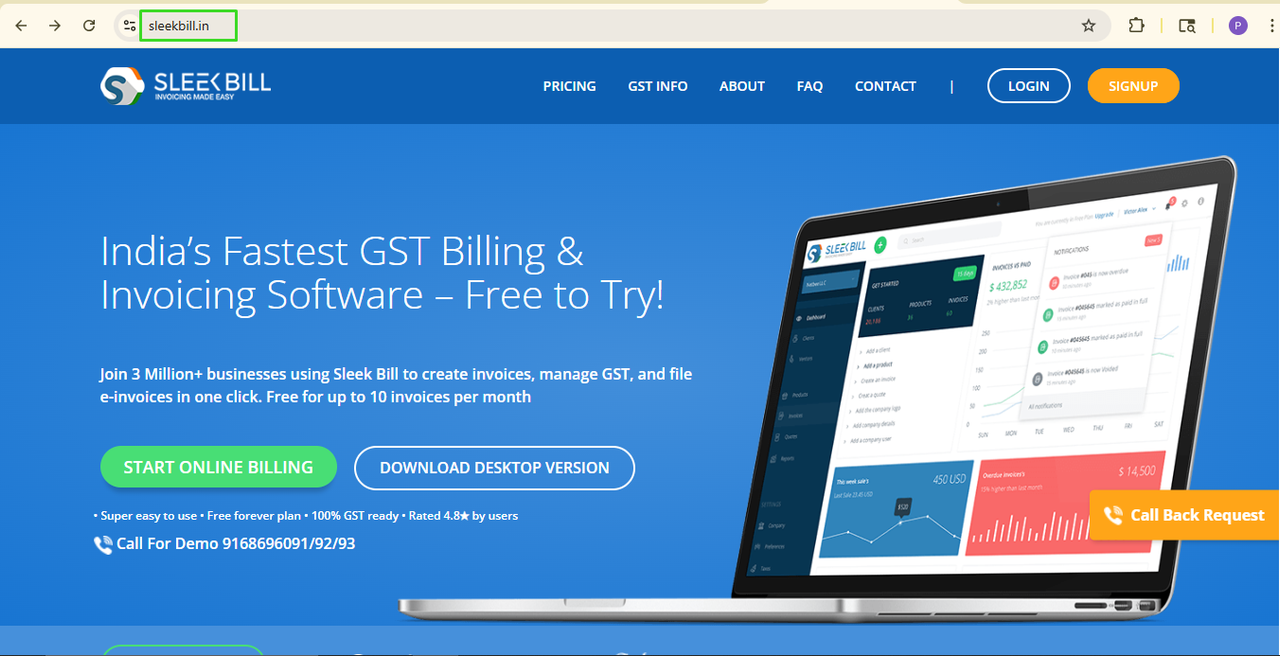
Step 1: Open your browser and type www.sleekbill.in
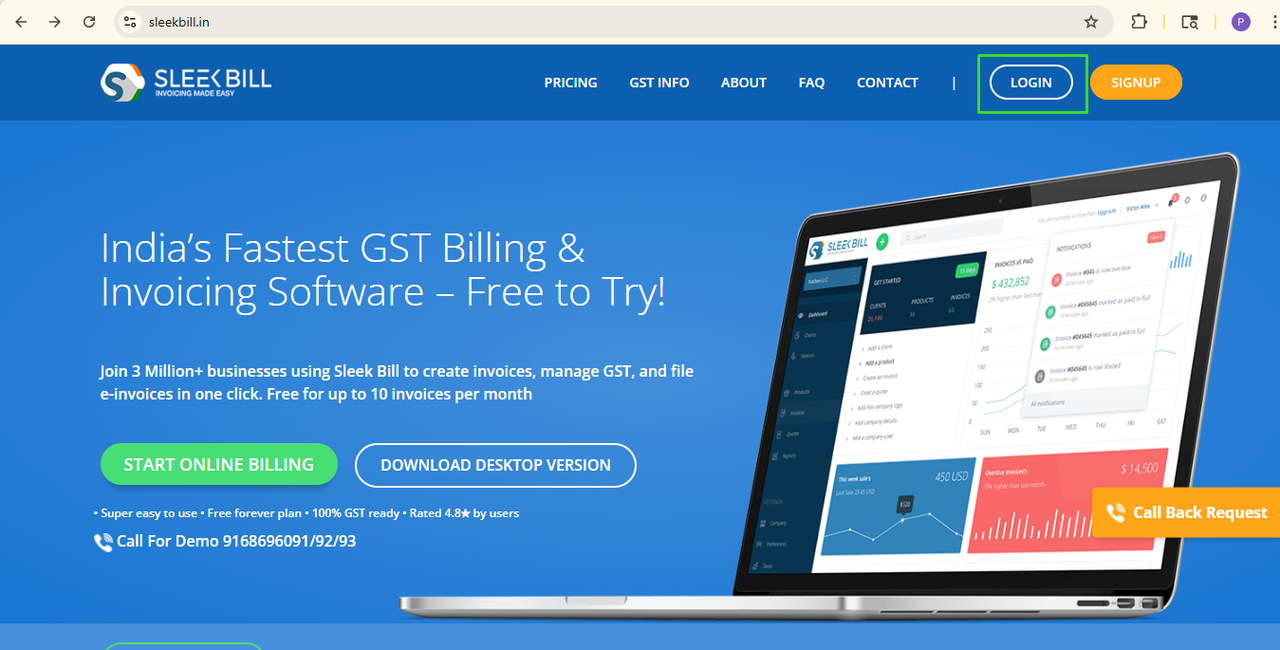
 Step 2: Once Site open Click on Login button.
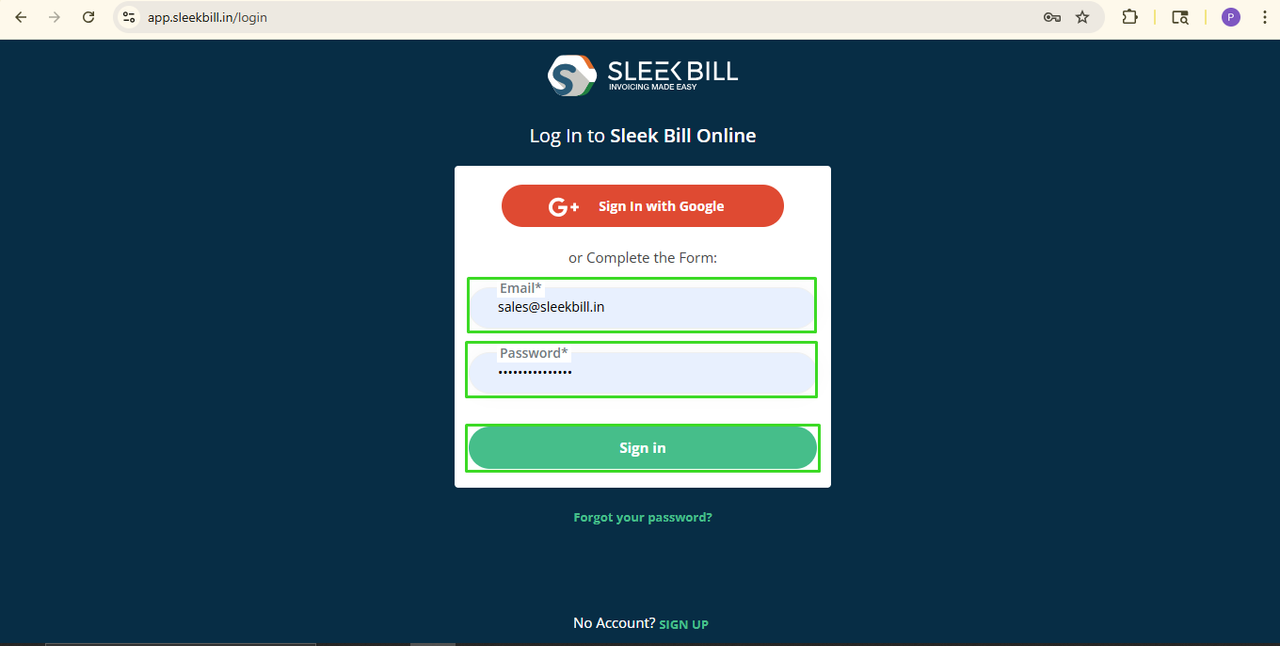
 Step 3: enter your Email ID and Password click on Sign in button.
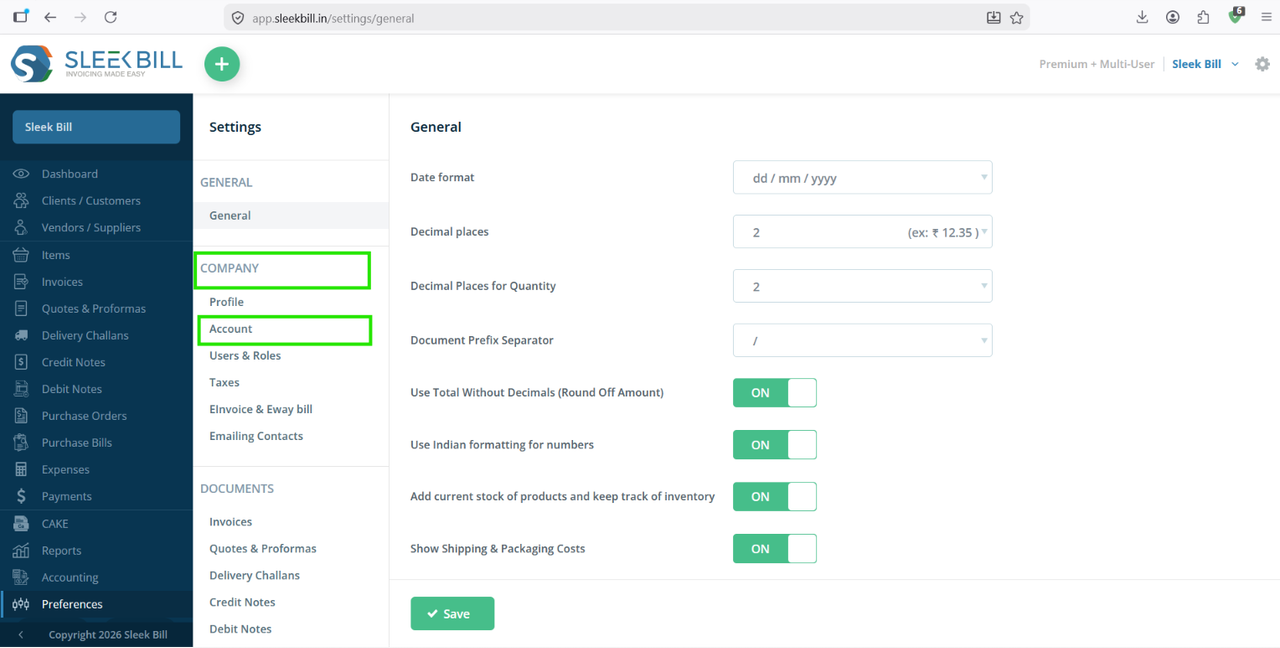
  Step 4: Once you reach the dashboard, scroll down and click on the Preferences tab.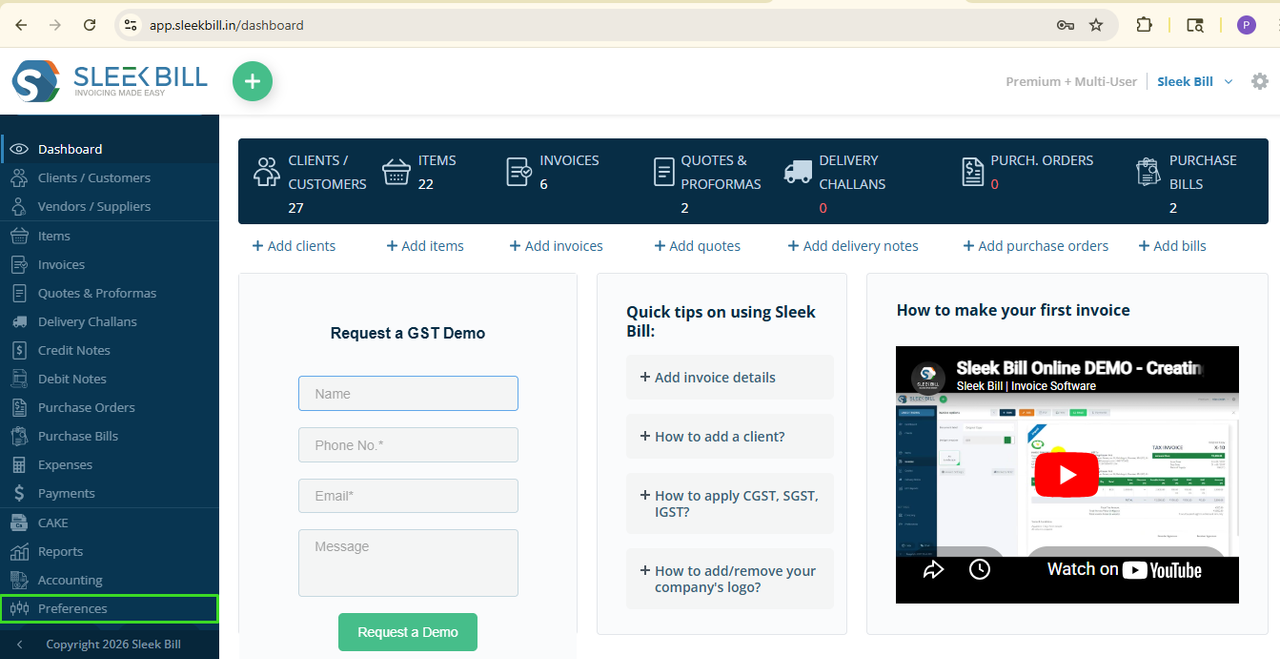
Step 5 : Under the Company section in the left-side panel, click on Account.
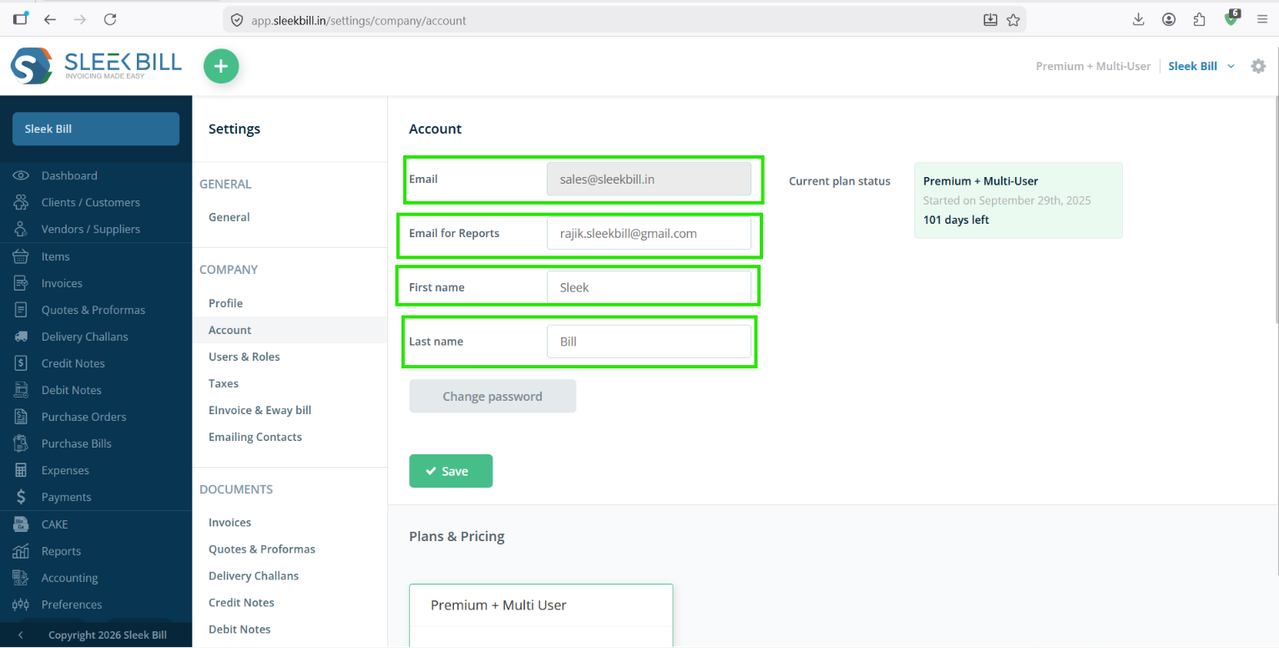
Step 6 : On the Account page, you can edit the following details:
- Email – Your registered account email address.
- Email for Reports – The email address where reports and notifications will be sent.
- First Name – Update the account holder's first name.
- Last Name – Update the account holder's last name.
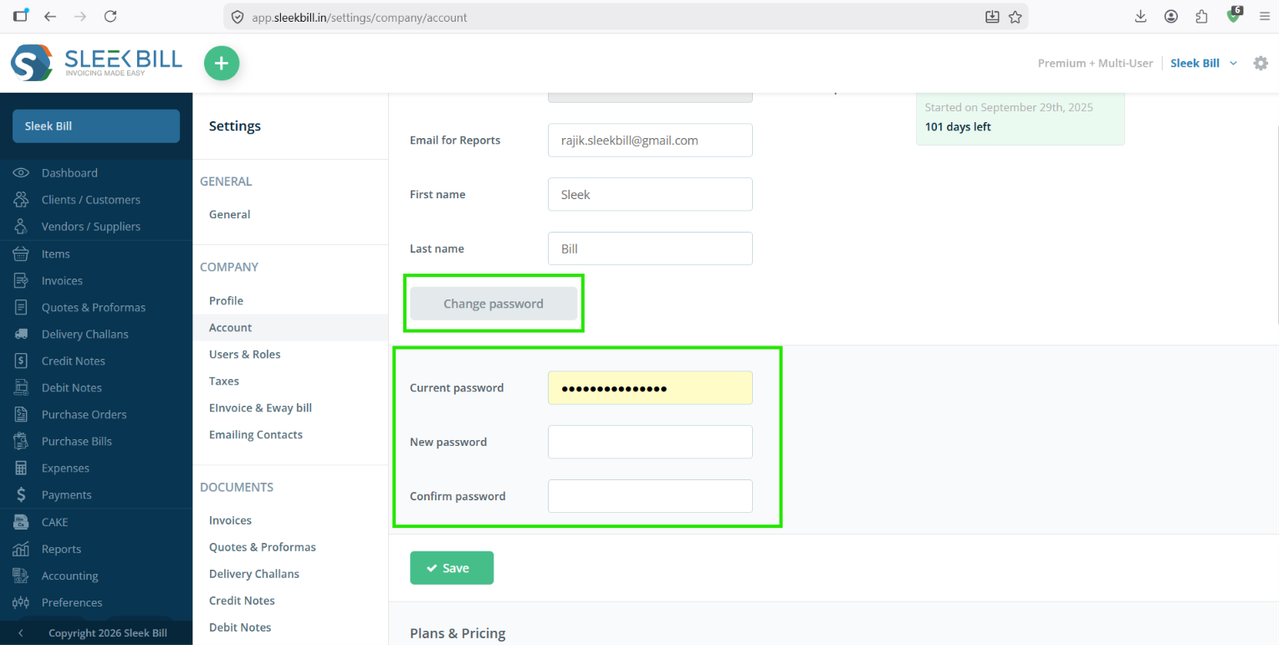
Step 7 : If you want to update your login password, click the Change Password button and follow the on-screen instructions.
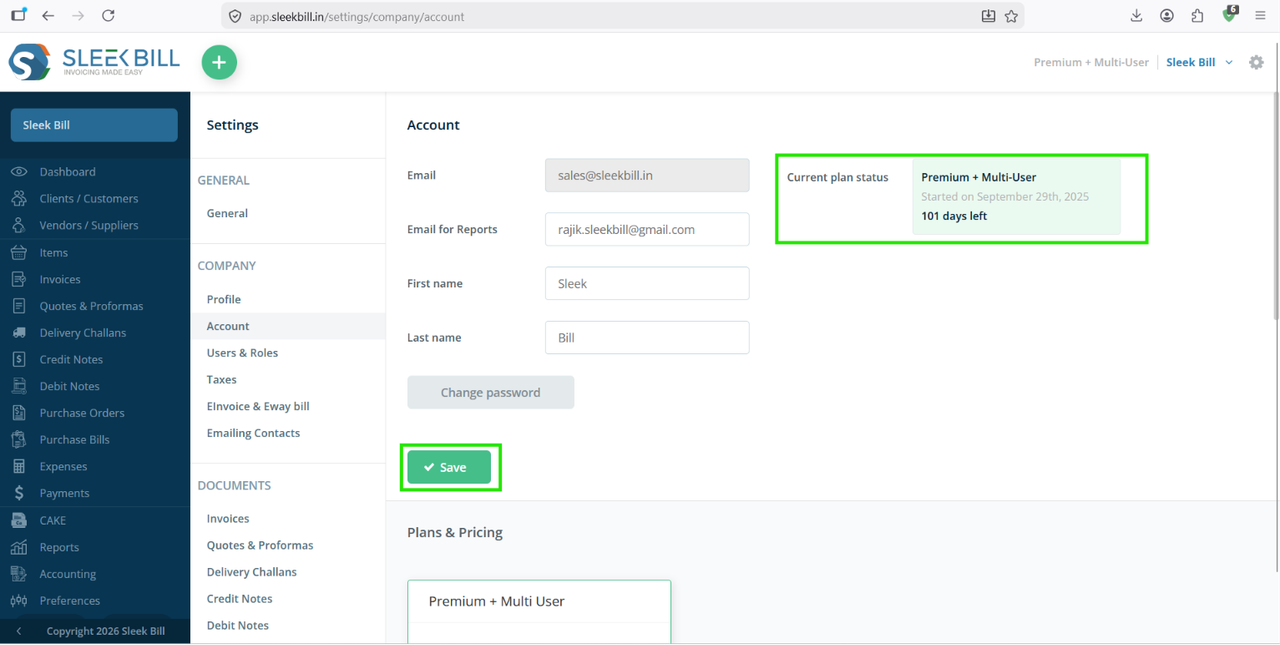
Step 8 : After making the required updates, click the Save button to apply the changes. The Account page also displays your current subscription information, including Active Plan Name, Plan Status, Subscription Start Date, Remaining Validity.
Was this article helpful?