How to Show Total Amount in Words in Purchase Bill?
Hello Sleek Bill users, welcome to the Sleek Bill Knowledge Hub.
Managing
complex procurement projects requires precision, and your business's commitment
to handling intricate purchasing requirements is impressive. Sleek Bill is
designed to simplify these complexities, ensuring that every financial detail
is handled with absolute accuracy.
In this
tutorial, we will demonstrate how you can turn on “Show Total in Words” for
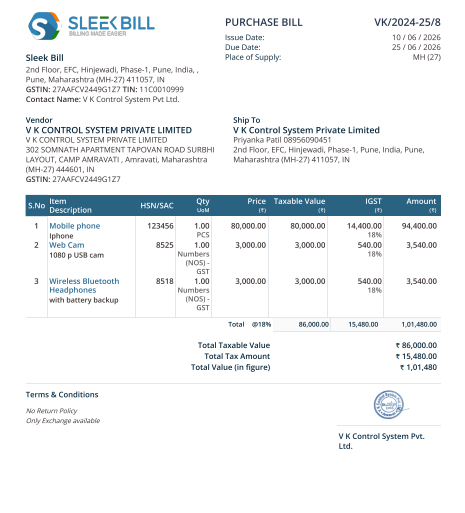
Purchase Bills. When dealing with purchasing documentation displaying the total
in numbers only can, at times, cause misunderstanding due to extra zeros after
the decimal point or just negligence. Adding the total in words makes your
Purchase Bill clearer, easier to verify, and helps avoid accounting mistakes.
It adds an extra layer of professional clarity to every record you maintain.
Why Should You Use "Show Total in Words" in
Purchase Bills?
Professional Accuracy: Your purchase documentation looks sharp and formal.
Reduced Errors: Mistakes in data entry or payment processing drop significantly.
Verification: Vendors and your internal team are certain about the exact amount documented.
Efficient
Auditing: Essential for smooth accounting, approvals, and maintaining clean
official documentation.
How to Enable
"Show Total in Words" for Purchase Bills in Sleek Bill
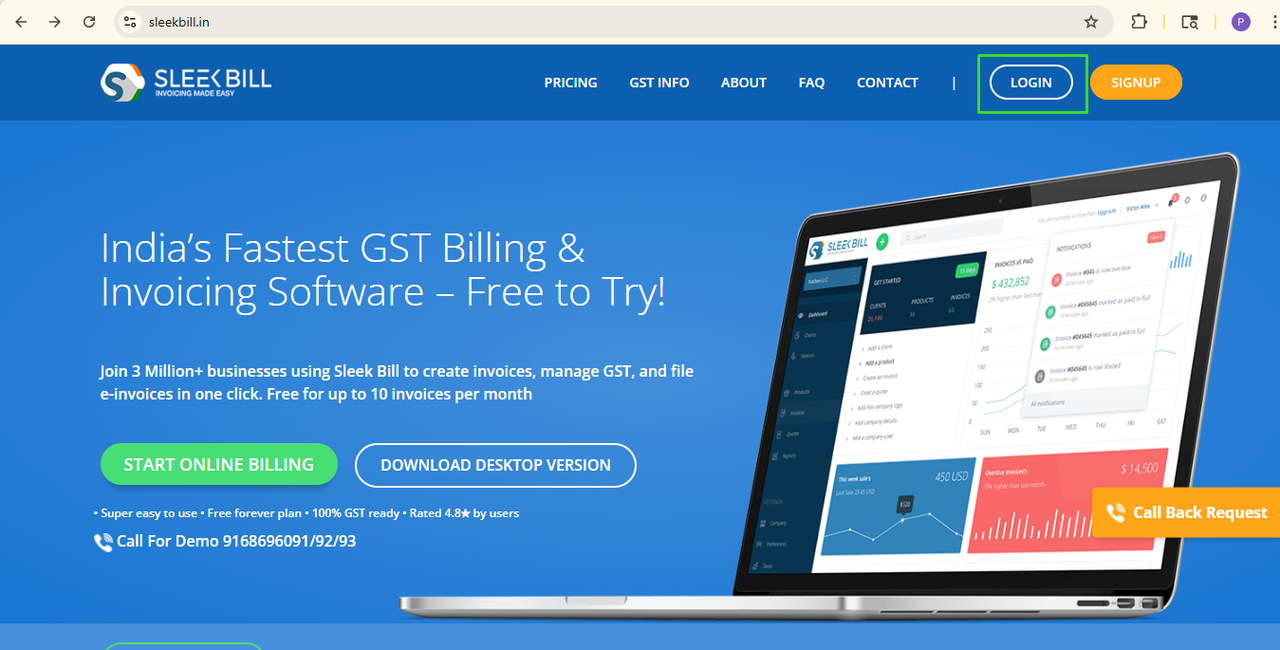
Step 1: Open
the Sleek Bill site (www.sleekbill.in).

Step 2: Click
on the Login button at the top left corner of the screen.
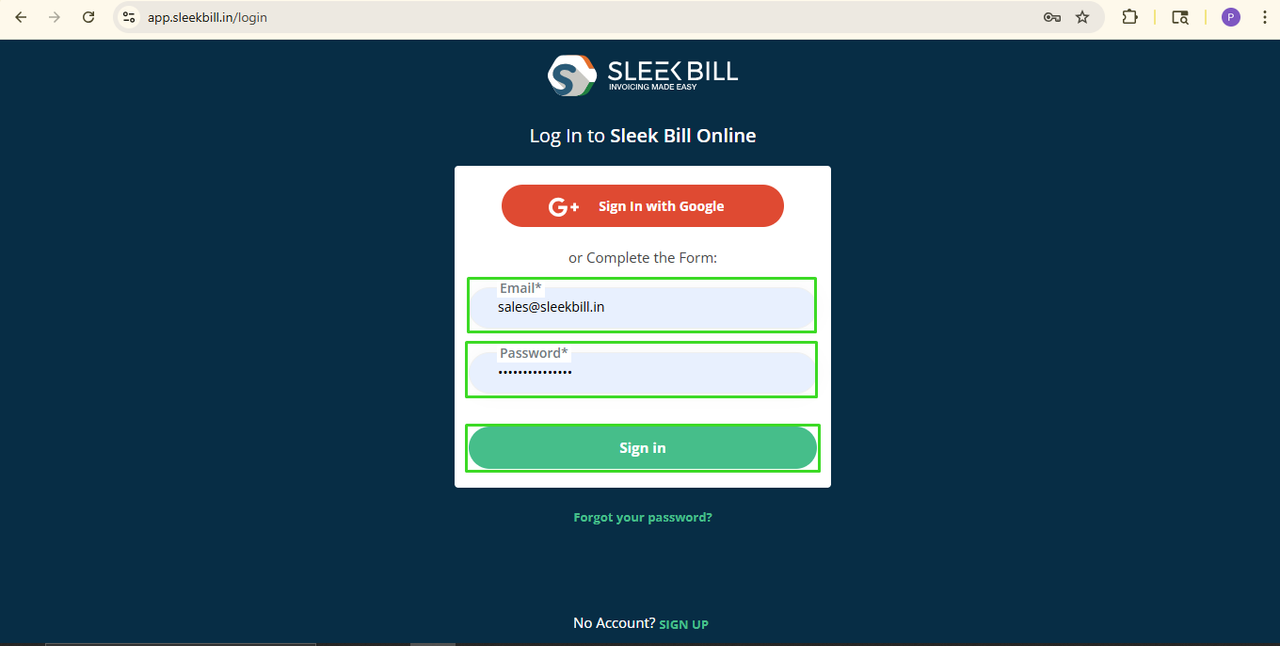
Step 3: Enter
your login credentials and click on the Sign In button.
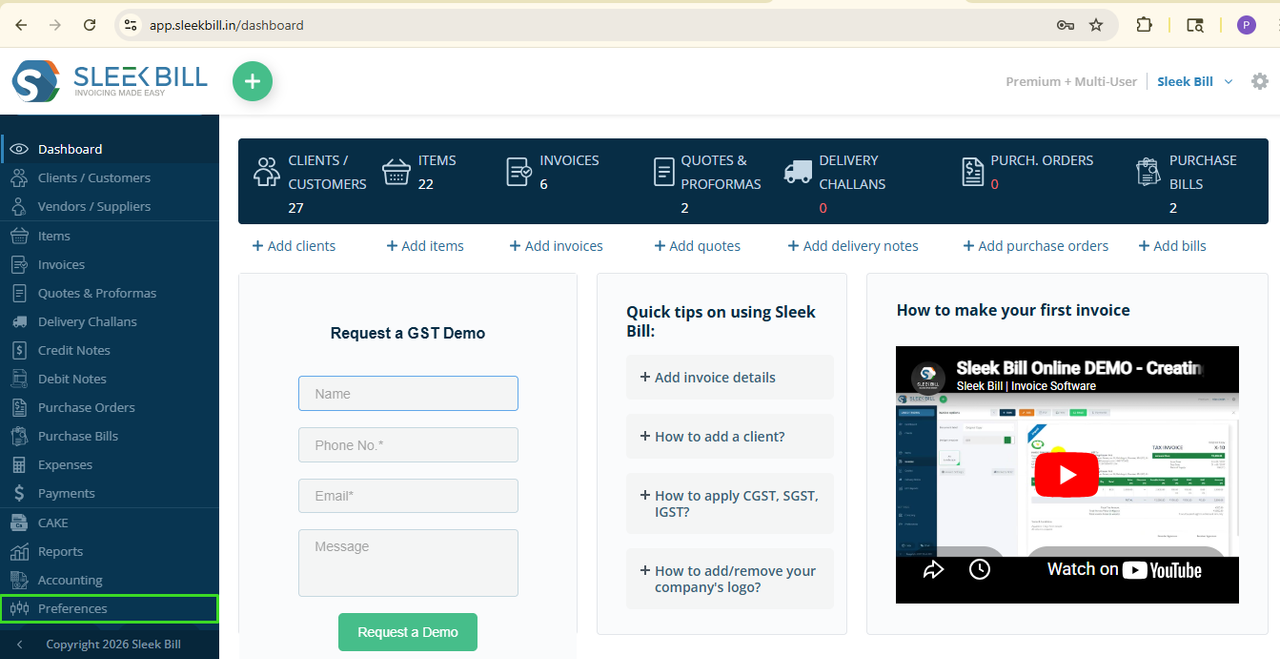
Step 4: After
logging in, you'll land on the Sleek Bill dashboard. Scroll down and click on
the Preferences tab.
Step 5: Click
on the Purchase Bill tab.
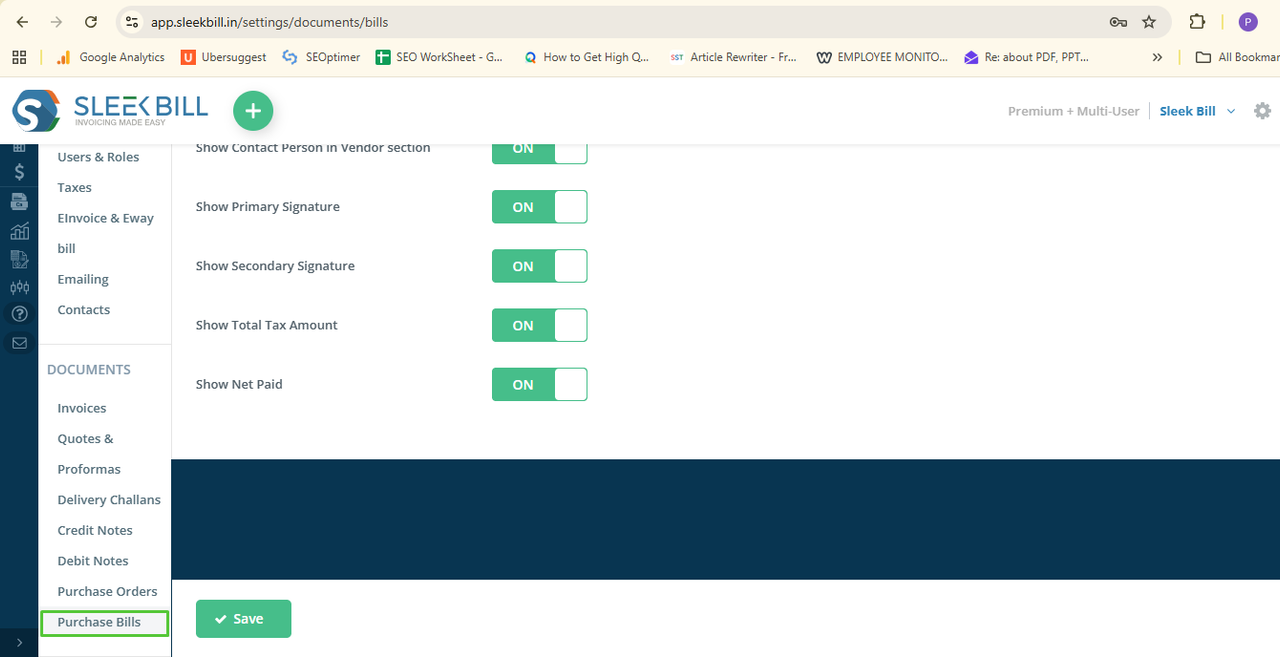
Step 6: In the
right-side window, find the option "Show Total in Words" and turn it
ON.
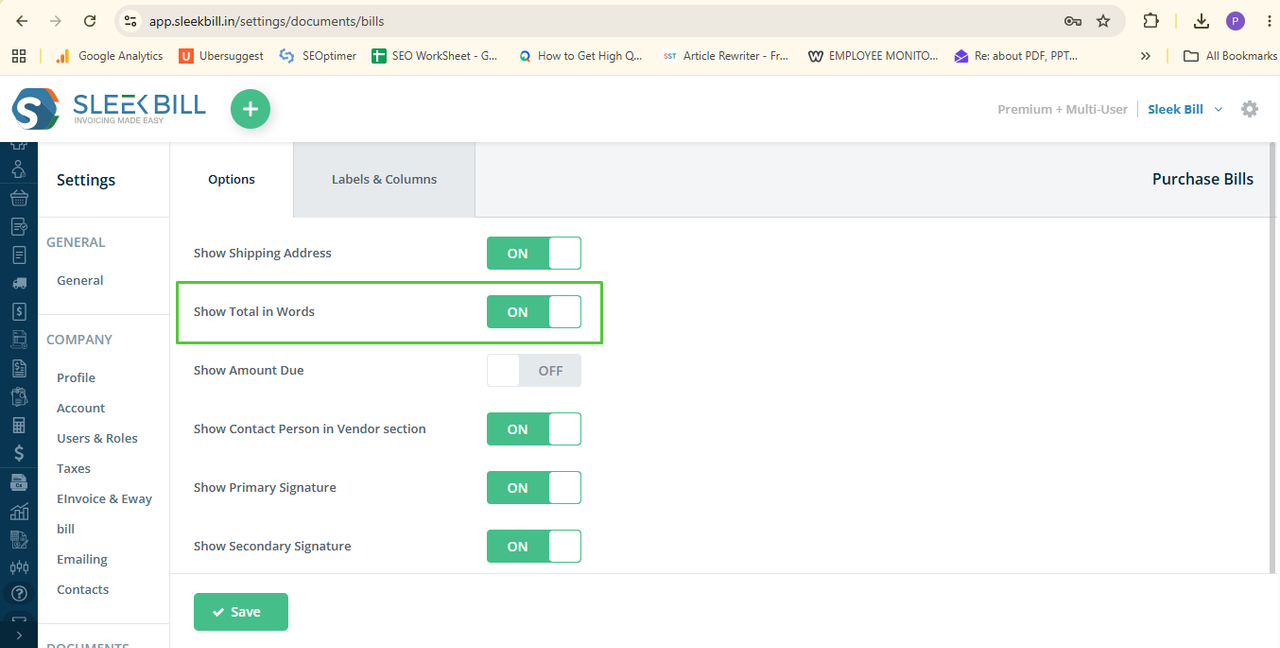
Step 7: Click the Save button.
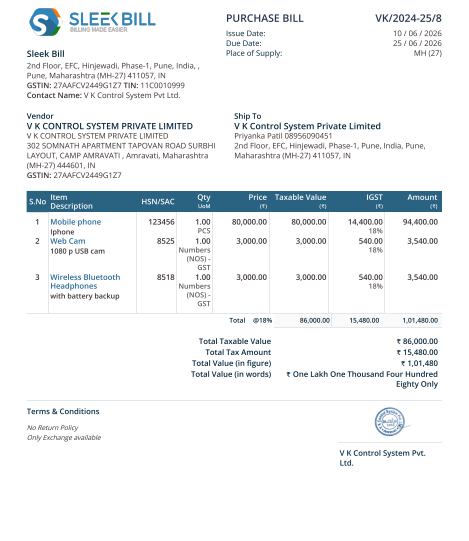
Done! Next time
you create a new Purchase Bill or open an existing one the total amount will
automatically appear in words.
Conclusion
This simple
feature makes a big difference in how you manage your data. Enabling "Show
Total in Words" on your Purchase Bills helps you create clear, accurate,
and professional documents, ensuring your purchasing process remains seamless.
Try it today and take your billing to the next level with Sleek Bill.
Was this article helpful?